BUYING GUIDE
Restaurant POS for Ghana, built to work offline
Obali TableKare is offline-first restaurant operations software for Ghana: point of sale, kitchen display, QR ordering, stock control and receipts built for GRA E-VAT requirements, all running on an ordinary Android tablet and thermal printer. This page is a buying guide: what to actually check before picking a restaurant POS in Ghana, and where Obali TableKare stands against each point, honestly, as a pre-launch product currently running a pilot with restaurants in Accra.
What to look for in a restaurant POS in Ghana
Six things worth checking before you sign up for any system, in the order they tend to matter on a busy shift.
Works offline through power cuts
Ghana's power supply isn't always reliable. Dumsor is still a fact of life for a lot of restaurants, and a POS that needs a live internet connection to fire an order or print a receipt is a POS that stalls the moment the lights go. Look for a system that keeps taking orders, sending tickets to the kitchen and printing receipts entirely on the device, syncing back up only once the connection returns.
Receipts built for GRA E-VAT requirements
A Ghanaian restaurant receipt is not just a subtotal and a total. It needs VAT, NHIL and GETFund itemized as separate lines, not folded into one tax figure. Check whether the POS you're evaluating actually produces receipts built for GRA E-VAT requirements out of the box, or whether that math is something you or your accountant has to bolt on afterward.
MoMo and cash reconciliation
Most Ghanaian restaurants take a mix of cash and mobile money, often within the same shift. A POS should record which method was used against every sale so end-of-day reconciliation is a five-minute job instead of a shift supervisor cross-checking a notebook against a phone. Worth noting: Obali TableKare records Cash, MoMo and Card against each sale for reconciliation, it does not process the payments itself.
QR ordering without needing an app
If a POS offers QR table ordering, check that guests can actually use it: no app to download, no account to create, no card details typed into a browser. Anything that adds friction before a guest can see the menu defeats the point. The order should land straight in the same kitchen queue as orders taken at the till.
Affordable hardware, no lock-in
A lot of POS vendors sell hardware bundles that lock a restaurant into a specific tablet, printer or card reader at a premium. Ask instead whether the system runs on an ordinary Android tablet and a standard thermal printer a restaurant may already own. That single question can be the difference between a setup that costs a few hundred cedis and one that costs several thousand.
Kitchen display and stock control with auto-86
Paper tickets get lost, smudged and duplicated. A kitchen display screen with timers fixes that on its own. Pair it with stock control that tracks ingredients as they're sold, and ask whether the menu updates itself: when an ingredient runs out, the dishes that depend on it should disappear from the till and the QR menu automatically, not stay listed until a server remembers to tell the kitchen.
How Obali TableKare measures up
Against the checklist above: Obali TableKare keeps the order → kitchen → receipt flow running entirely on the device, so a dropped connection during dumsor doesn't stop service. It produces receipts built for GRA E-VAT requirements, with VAT, NHIL and GETFund itemized on every slip. Cash, MoMo and Card are each recorded against the sale for reconciliation, though Obali TableKare does not process the payments itself. QR ordering works from a guest's own phone browser, no app or account needed, feeding the same kitchen display system the till uses. It runs on standard Android tablets and a thermal printer a restaurant may already have, rather than locking you into proprietary terminals. And stock control auto-hides menu items the moment an ingredient runs out, on the till and the QR menu at once.
Obali TableKare is pre-launch, currently running a pilot with restaurants in Accra, so treat this as where the product stands today rather than a finished track record. If you're comparing options, you can also see how Obali TableKare compares to Loyverse.
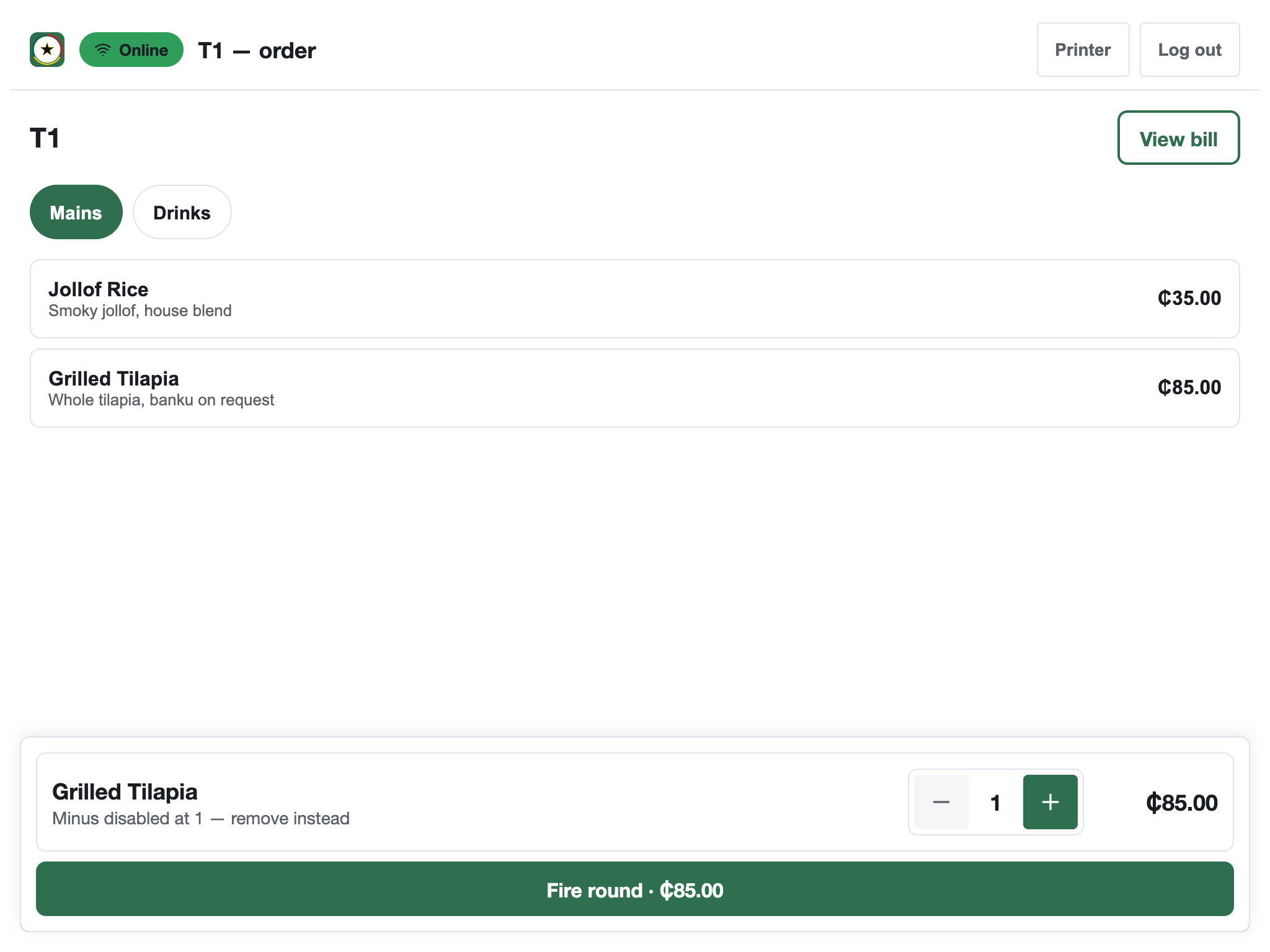
See it running on a till before you commit to anything.
Try the live demo with sample data, or join the pilot to bring Obali TableKare into your own restaurant in Accra.